

Earn more when demand is high.
Your busiest days shouldn’t just mean more work. They should mean more revenue. TailPro’s Peak-Time Premiums automatically charge higher rates during busy periods, weekends, bank holidays, high-demand seasons, so your pricing adjusts to demand without manual updates or awkward conversations.
Define the periods once, and TailPro applies the right rate at checkout automatically, every time.
No credit card required · Free plan, forever · Included on every TailPro plan
How Peak-Time Premiums increase profitability
What you actually get
High-demand periods often mean increased workload, tighter schedules and higher operating pressure. Without structured pricing adjustments, you work harder without earning proportionally more, Peak-Time Premiums makes sure your revenue actually reflects that demand.
| Feature | What it means for you |
|---|---|
| Weekend pricing rules | Charge appropriately for your consistently busiest days |
| Bank holiday rate adjustments | Reflect the real pressure of high-demand dates automatically |
| Time-based premium settings | Set premium periods around your own demand patterns, not a generic template |
| Automatic price application | The correct rate appears at checkout, with no manual step |
| Clear pricing visibility | Clients see exactly what they’re paying before they confirm |
Once configured, the system handles the rest, no last-minute price changes, no remembering which dates need adjusting.
From peak date to correct price, automatically
No surprises. No awkward explanations.
Customers never encounter a surprise or an awkward explanation, the price they see for a peak-period slot is simply the correct one, shown upfront.
- 1You define your peak periods – weekends, bank holidays, specific high-demand dates.
- 2A customer starts booking – through your normal TailPro booking flow.
- 3TailPro checks whether the selected slot falls within a peak period – automatically, in the background.
- 4The premium rate is shown clearly – before the customer confirms anything.
- 5Booking completes at the correct rate – transparent, upfront, no surprises later.
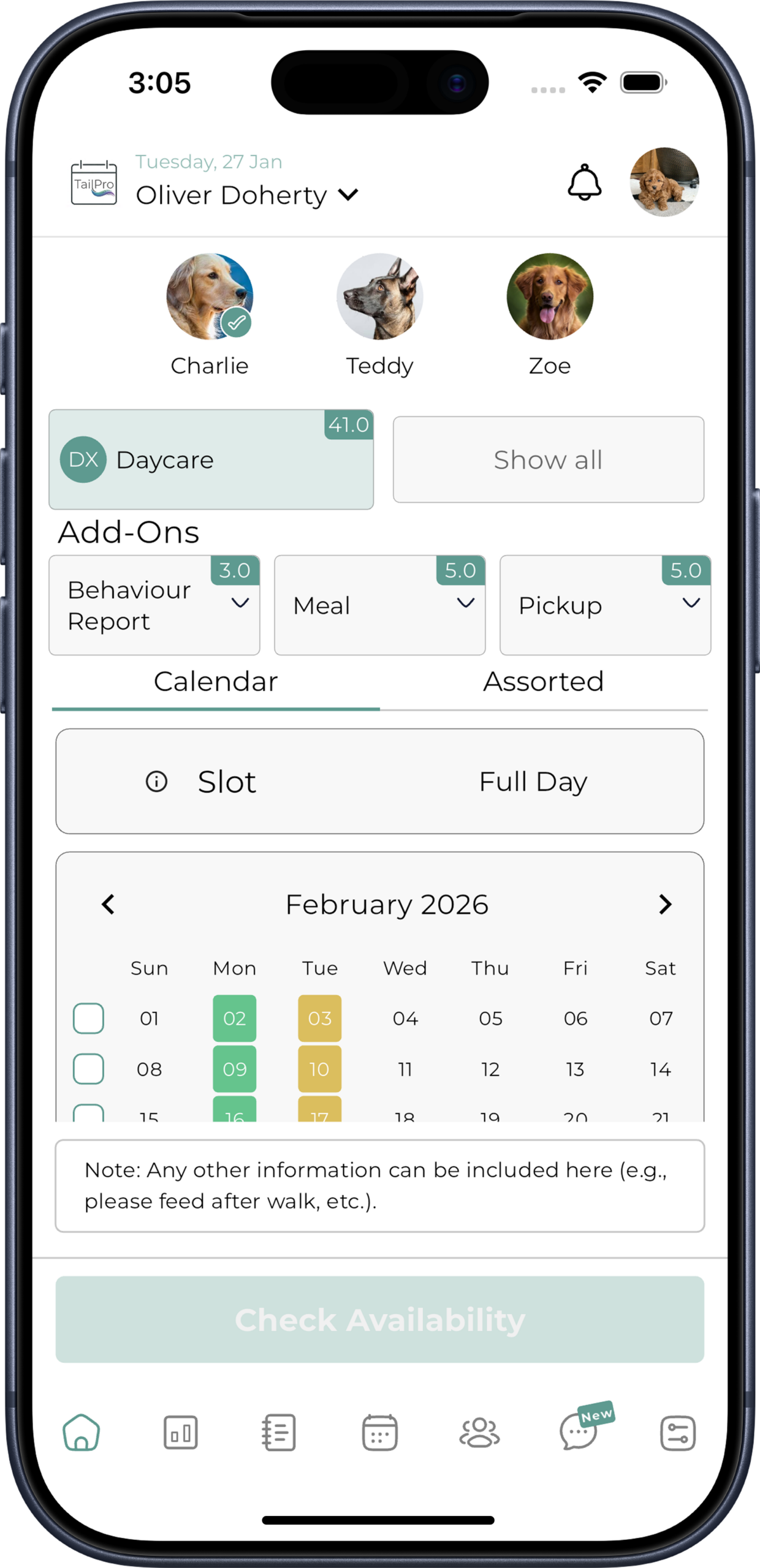
Because the price is clear from the start, there’s no confusion and no need to explain why one date costs more than another.
Why not just adjust prices manually for busy periods?
More admin at exactly the moments you're already stretched thinnest
Manually adjusting prices for peak times is inconsistent and easy to forget, and it creates confusion if rates aren’t applied fairly across bookings. Peak-Time Premiums builds pricing strategy directly into your booking system. Clients see accurate pricing upfront. Revenue scales with demand. Your team doesn’t need to manage special cases manually, instead of working harder for the same return, you earn more when your business is busiest.
Manual price changes
- Easy to forget before a busy date
- Inconsistently applied across bookings
- More admin exactly when you’re stretched thin
- Risk of confusion between clients
Peak-Time Premiums
- Built directly into checkout
- Applied consistently, every time
- Zero admin once configured
- Same clear price for every client
Revenue That Matches Demand
Your most pressured days become your most profitable ones, not just the busiest.
No Manual Admin
Once configured, pricing adjusts itself, with nothing to remember at peak times.
Consistent, Fair Pricing
Every client pays the correctly configured rate, applied the same way every time.
Transparent for Clients
No awkward “why is it more expensive” conversations, because the price is clear from the start.
Not a manual price list you update by hand: it’s a rule-based system built into checkout itself, so peak pricing runs on its own, exactly when it’s needed.
Set your peak periods once
Every future bank holiday and weekend prices itself automatically.
Peak-Time Premiums FAQs
FAQs
Make your busiest days your most profitable ones.
Stop absorbing the extra pressure of peak periods without earning proportionally more. Set your rules once, and let TailPro apply the right price automatically, every busy day, without the manual admin.